
WHO Ethics and Governance of AI for Health

WHO Ethics and Governance of Artificial Intelligence for Health

The World Health Organization (WHO) published its guidance on Ethics and Governance of Artificial Intelligence for Health in 2021, establishing a framework for the ethical development and deployment of AI technologies in healthcare. The document identifies six core principles that should guide AI in health contexts: protect autonomy, promote human well-being and safety, ensure transparency and explainability, foster responsibility and accountability, ensure inclusiveness and equity, and promote AI that is responsive and sustainable.

The Six Ethical Principles

Protecting autonomy means that AI systems should not override human decision-making—health professionals must retain the final say in diagnosis and treatment decisions, and patients must have the right to informed consent about AI involvement in their care. Promoting well-being and safety requires rigorous testing before deployment, continuous monitoring for harm, and regulatory oversight similar to medical devices. Transparency and explainability demand that AI systems be understandable to the clinicians and patients who use them—black-box systems that provide predictions without explanations are ethically problematic in health contexts where decisions affect life and death.

# Explainable AI example: SHAP values for medical diagnosis
import shap
import xgboost as xgb

model = xgb.XGBClassifier()
model.fit(X_train, y_train)

# Explain a single prediction
explainer = shap.TreeExplainer(model)
shap_values = explainer.shap_values(X_patient)
feature_importance = list(zip(feature_names, shap_values[0]))
feature_importance.sort(key=lambda x: abs(x[1]), reverse=True)

# Show top 3 factors influencing the diagnosis
for feature, impact in feature_importance[:3]:
    direction = "increases" if impact > 0 else "decreases"
    print(f"{feature}: {direction} risk by {abs(impact):.4f}")

Key Challenges Identified by the WHO

Bias and fairness is a major concern: AI models trained on data from wealthy, predominantly white populations may perform poorly on marginalized groups. The WHO cites examples where dermatology AI trained primarily on light skin tones misdiagnoses skin cancer in darker skin. Data privacy is another critical issue—health data is highly sensitive, and AI systems that share data across institutions must implement robust de-identification, consent management, and security measures. Intellectual property rights for AI-generated discoveries (e.g., a novel drug molecule designed by an AI system) create legal gray areas that existing patent law does not fully address.

# Detecting dataset bias in health AI
def check_demographic_balance(dataset):
    groups = dataset.groupby(["race", "age_group", "gender"]).size()
    total = len(dataset)
    underrepresented = []
    for group, count in groups.items():
        proportion = count / total
        if proportion < 0.01:  # Less than 1% representation
            underrepresented.append((group, proportion))
    return underrepresented

bias_report = check_demographic_balance(health_dataset)
for group, prop in bias_report:
    print(f"WARNING: Underrepresented group {group} ({prop:.1%})")

Governance Recommendations

The WHO recommends that governments establish regulatory frameworks for AI in health, requiring pre-market validation, post-market surveillance, and mandatory adverse event reporting. AI systems should be regulated as medical devices—the EU AI Act and FDA's evolving framework for AI/ML-based SaMD (Software as a Medical Device) provide emerging regulatory models. The guidance emphasizes that AI should complement rather than replace health workers, particularly in low-resource settings where AI could help address workforce shortages by assisting with triage, screening, and diagnostic support. Human oversight mechanisms must be built into every AI health system, with clear escalation paths when the AI encounters cases beyond its training distribution or confidence thresholds.

Global Implementation and Country Examples

Several countries have begun implementing AI ethics frameworks aligned with WHO guidance. The European Union's AI Act (2024) classifies health AI as "high-risk," requiring conformity assessments, human oversight, and transparency documentation before market approval. The US FDA has approved over 1000 AI-enabled medical devices through its De Novo and 510(k) pathways, with a growing emphasis on real-world performance monitoring after approval. China's Ministry of Health issued guidelines requiring AI diagnostic systems to undergo clinical validation in Chinese populations before deployment. India's NITI Aayog published a national AI strategy that prioritizes health applications while acknowledging the need for regulatory frameworks that protect privacy in a context where digital health ID systems are expanding rapidly. These national approaches vary in stringency but converge on the core WHO principles: AI in health must be safe, effective, equitable, and subject to human oversight. The WHO's global guidance provides a common language for international collaboration, enabling mutual recognition of AI system approvals and shared best practices for post-market surveillance across jurisdictions.

AI and Health Equity

The WHO guidance strongly emphasizes that AI should not exacerbate existing health inequities. In practice, this means ensuring training data represents diverse populations (not just data from wealthy urban hospitals), that AI tools are accessible in low-resource settings (offline-capable, low-bandwidth, affordable), and that deployment does not divert resources from proven public health interventions toward unproven AI solutions. Community engagement throughout the AI lifecycle ensures that AI addresses actual community needs rather than researcher interests. The WHO recommends that AI investments be accompanied by investments in digital infrastructure and health worker training to ensure that AI benefits reach all populations equitably.
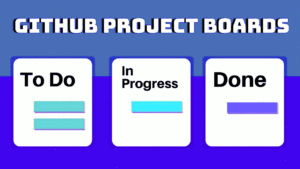

CI/CD and GitHub Actions: Automate Your Development Pipeline

What is CI/CD?

CI/CD stands for Continuous Integration and Continuous Delivery (or Deployment). It is a software engineering practice where developers merge their code changes into a shared repository frequently, and each merge triggers an automated build-and-test pipeline. The goal is to catch bugs early, reduce integration hell, and ship reliable software faster.

Continuous Integration (CI) means that every time a developer pushes code, the system automatically builds the project and runs a suite of tests. If the build breaks or a test fails, the team knows immediately.

Continuous Delivery (CD) extends CI by automatically deploying the tested code to a staging or production environment after the CI pipeline passes, ensuring that the software is always in a deployable state.

Why GitHub Actions?

GitHub Actions is GitHub’s built-in CI/CD platform. It is deeply integrated with GitHub repositories, free for public repositories, and offers a vast ecosystem of pre-built actions from the community. Key advantages include:

  • Tight GitHub integration — triggers on push, PR, issue comments, releases, and more.
  • Matrix builds — test across multiple OS versions, language versions, and architectures in parallel.
  • Hosted runners — Ubuntu, Windows, and macOS runners are provided free for public repos.
  • Marketplace — thousands of community actions for deployments, notifications, code quality, and security scanning.
  • Self-hosted runners — run workflows on your own infrastructure for private projects.

Workflow Structure

A GitHub Actions workflow is defined in a YAML file stored at .github/workflows/. Every workflow has three top-level components:

Events (Triggers)

What causes the workflow to run:

on:
  push:
    branches: [main]
  pull_request:
    branches: [main]
  schedule:
    - cron: "0 6 * * 1"  # Every Monday at 6 AM
  workflow_dispatch:  # Manual trigger

Jobs

Jobs run in parallel by default on separate runners. Each job contains a series of steps:

jobs:
  test:
    runs-on: ubuntu-latest
    steps:
      - uses: actions/checkout@v4
      - name: Run tests
        run: pytest

Steps

Steps are individual commands or actions. They run sequentially within a job and share the same filesystem.

Real-World Example: Python Project

Here is a complete workflow that lints, tests, and deploys a Python application:

name: CI/CD Pipeline

on:
  push:
    branches: [main]
  pull_request:
    branches: [main]

jobs:
  lint-and-test:
    runs-on: ubuntu-latest
    strategy:
      matrix:
        python-version: ["3.11", "3.12"]

    steps:
      - uses: actions/checkout@v4

      - name: Set up Python ${{ matrix.python-version }}
        uses: actions/setup-python@v5
        with:
          python-version: ${{ matrix.python-version }}

      - name: Install dependencies
        run: |
          python -m pip install --upgrade pip
          pip install ruff pytest

      - name: Lint with Ruff
        run: ruff check .

      - name: Test with pytest
        run: pytest

  deploy:
    needs: lint-and-test
    runs-on: ubuntu-latest
    if: github.ref == 'refs/heads/main'

    steps:
      - uses: actions/checkout@v4

      - name: Deploy to production
        env:
          DEPLOY_KEY: ${{ secrets.DEPLOY_KEY }}
        run: |
          echo "Deploying to production server..."
          # ssh, rsync, or use a deployment action

This workflow runs a matrix build against Python 3.11 and 3.12, lints with Ruff, runs tests, and only deploys if all tests pass on the main branch.

Secrets Management

Never hardcode credentials in your workflow files. GitHub provides encrypted secrets under Settings → Secrets and variables → Actions:

jobs:
  deploy:
    steps:
      - name: Deploy
        env:
          SSH_KEY: ${{ secrets.SSH_PRIVATE_KEY }}
          API_TOKEN: ${{ secrets.API_TOKEN }}
        run: deploy-script.sh

Secrets are masked in logs and never passed to forks.

Matrix Builds

Matrix strategies let you test across combinations of OS, language version, and environment variables with a single job definition:

jobs:
  test:
    runs-on: ${{ matrix.os }}
    strategy:
      matrix:
        os: [ubuntu-latest, windows-latest, macos-latest]
        python-version: ["3.10", "3.11", "3.12"]
        exclude:
          - os: windows-latest
            python-version: "3.10"

    steps:
      - uses: actions/checkout@v4
      - uses: actions/setup-python@v5
        with:
          python-version: ${{ matrix.python-version }}
      - run: pytest

The exclude key removes specific combinations that are known to fail or are unnecessary, keeping the matrix manageable.

Best Practices

  • Keep workflows fast — use caching for dependencies with actions/cache.
  • Fail fast — set fail-fast: true in matrix builds to cancel all jobs when one fails.
  • Pin action versions — use @v4 tags (not @main) to avoid unexpected breaking changes.
  • Use status badges — add a badge to your README so contributors see the build status at a glance.
  • Separate concerns — one workflow per concern (test, lint, deploy, security scan).
  • Self-hosted runners for large repos — if your team pushes frequently, self-hosted runners eliminate queue wait times.

Conclusion

GitHub Actions makes CI/CD accessible to every developer. With a single YAML file, you can lint, test, build, and deploy your application across multiple platforms. The marketplace ecosystem, matrix builds, and secret management make it production-ready from day one. Start with a simple lint-and-test workflow, then layer on deployment, security scanning, and notifications as your project grows.

Code Review Best Practices for Engineering Teams

Code Review Best Practices for Engineering Teams

Code review is one of the highest-leverage practices in software engineering. A thorough review catches bugs before they reach production, spreads knowledge across the team, improves code consistency, and helps junior developers learn. But code review is only effective when done right — rushed reviews, massive pull requests, and personal criticism undermine the benefits. This article outlines best practices for both authors and reviewers.

Keep Pull Requests Small

The single most important factor in review quality is PR size. Studies show that code review effectiveness drops dramatically once a PR exceeds 400 lines of code. Small PRs (under 200 lines) are reviewed more thoroughly, catch more bugs, and ship faster. Break large features into a sequence of small, logically independent PRs — each one should add one coherent change. If you are refactoring, do not mix refactoring with feature work in the same PR. Use draft PRs for work-in-progress to get early design feedback without pressure. A good PR description explains what the change does, why it is needed, and how it was tested.

## Description
Add user authentication with JWT tokens

## Changes
- Add JWT token generation and validation
- Add login endpoint (POST /api/auth/login)
- Add token verification middleware to protected routes

## Testing
- [x] Unit tests for token generation and validation
- [x] Integration test for login flow
- [x] Test expired token rejection

## Related Issues
Closes #142

What to Look For in a Review

A good code review covers multiple dimensions. Correctness: does the code handle the requirements, including edge cases like empty states, null values, and error responses? Security: are there SQL injection vectors, XSS vulnerabilities, or hardcoded secrets? Performance: are there N+1 queries, unbounded list comprehensions, or obvious inefficiencies? Testability: are the functions testable in isolation, or are they tightly coupled to concrete dependencies? Readability: are the variable and function names descriptive? Is the control flow clear? Would a new team member understand this code? Focus on correctness and security first — style preferences are less important and can be enforced by automated formatters like Black, Ruff, or Prettier.

Automate Before Human Review

Set up CI to run linters, formatters, type checkers, and tests before a reviewer looks at the code. This frees human reviewers to focus on high-level concerns — design, correctness, and architecture — rather than nitpicking formatting or missing type annotations. Use a pre-commit configuration file so developers catch issues locally before pushing. GitHub Actions, GitLab CI, and Jenkins can all enforce these checks as required status checks that must pass before merging. A typical pre-commit config includes hooks for trailing whitespace, YAML validation, Python import sorting, and code formatting.

# .github/PULL_REQUEST_TEMPLATE.md
## Description
Briefly describe the change and why it is needed.

## Testing
- [ ] Unit tests pass
- [ ] Integration tests pass
- [ ] Manual testing performed

## Deployment Notes
Any migration steps, environment variables, or rollback considerations.

Checklists for Common Change Types

Different change types need different review focus. For a database migration PR, check for backward compatibility, rollback scripts, and performance impact on large tables. For a security-related change, look for input validation, authentication checks, and proper error handling that does not leak sensitive information. For a UI change, verify accessibility (keyboard navigation, screen reader support, color contrast according to WCAG 2.1 AA), loading states, and error messages. For an API change, ensure versioning is considered, deprecated fields are removed only after a transition period, and the OpenAPI spec is updated to reflect the changes.

The Review Process and Giving Feedback

A good review process has a clear workflow. The author creates a PR with a descriptive title and summary, checks CI passes, and assigns reviewers (typically 1-2 for simple changes, more for complex architectural decisions). Reviewers should respond within 24 hours — block time in your calendar for reviews just as you would for any other task. If a PR sits for days, context is lost and the author has to context-switch back to remember what they were doing. Use GitHub’s request changes, comment, and approve features appropriately. Frame feedback as questions rather than commands: instead of “Change this to use dependency injection,” say “Would dependency injection make this easier to test?” This invites discussion and acknowledges there may be context the reviewer does not have. Separate the code from the developer — critique the code, not the person. When receiving feedback, treat it as a learning opportunity. Not every comment needs to be addressed if there is a reasoned justification against it, but be open to changing your approach. If a reviewer does not understand your code, that is often a sign that the code needs better naming or documentation rather than a failing of the reviewer.

Test-Driven Development in Practice

Test-Driven Development in Practice

Test-Driven Development (TDD) is a software development practice where you write tests before you write the production code. The cycle is simple but transformative: Red — write a failing test, Green — write the minimal code to make it pass, Refactor — clean up both the test and production code without changing behavior. This Red-Green-Refactor loop typically runs every few minutes, producing a steady cadence of small, validated increments. TDD leads to better-designed code, comprehensive test coverage, and a reliable safety net for refactoring.

The Red-Green-Refactor Cycle

Start by writing a test that describes the next behavior you want your code to have. The test should call an interface that does not exist yet (a function you have not written, a class you have not defined). Run the test — it fails (red), which confirms that the test is actually testing something. Now write the simplest possible production code to make the test pass. Do not worry about elegance or completeness — just make the test green. Once it passes (green), step back and refactor: remove duplication, rename variables, extract helper functions, improve the design. The tests stay green throughout refactoring because you are only changing structure, not behavior. Then start the next cycle with a new failing test.

import pytest
from calculator import Calculator

# Step 1: Write a failing test (RED)
def test_addition():
    calc = Calculator()
    result = calc.add(2, 3)
    assert result == 5

# Run: pytest -> FAILS because Calculator does not exist yet

# Step 2: Write minimal code to pass (GREEN)
class Calculator:
    def add(self, a, b):
        return a + b

# Run: pytest -> PASSES

Writing Testable Code

TDD naturally pushes you toward decoupled, testable code. When a test is hard to write, that is a signal that your design has problems — tight coupling, hidden dependencies, or unclear responsibilities. For example, if a function reads from a database or calls an external API, testing it directly would require setting up a real database connection or network access. Instead, inject dependencies as parameters so they can be replaced with test doubles (mocks, stubs, or fakes) during testing.

# Untestable — hard-coded dependency
def send_welcome_email(user_id):
    user = database.query(f"SELECT * FROM users WHERE id = {user_id}")
    smtp.send(user.email, "Welcome!", "Thanks for signing up!")

# Testable — dependency injection
def send_welcome_email(user_id, db, mailer):
    user = db.get_user(user_id)
    mailer.send(user.email, "Welcome!", "Thanks for signing up!")

# Now the test can pass in mocks
from unittest.mock import MagicMock

def test_send_welcome_email():
    mock_db = MagicMock()
    mock_db.get_user.return_value = type('User', (), {'email': 'test@example.com'})()
    mock_mailer = MagicMock()
    send_welcome_email(1, mock_db, mock_mailer)
    mock_mailer.send.assert_called_once_with(
        "test@example.com", "Welcome!", "Thanks for signing up!"
    )

Testing Edge Cases

Good tests cover not just the happy path but also edge cases — empty inputs, negative numbers, boundary values, nulls, duplicates, and error conditions. Each edge case should be a separate test with a descriptive name so that when a test fails, you immediately know what scenario broke. Parametrized tests let you run the same test logic with multiple inputs without duplicating code.

# Edge case tests for a divide function
def test_divide_positive():
    assert divide(10, 2) == 5

def test_divide_by_zero():
    with pytest.raises(ValueError, match="Cannot divide by zero"):
        divide(10, 0)

@pytest.mark.parametrize("a, b, expected", [
    (10, 2, 5), (0, 5, 0), (-6, 3, -2), (7, 3, 7/3),
])
def test_divide_parametrized(a, b, expected):
    assert divide(a, b) == expected

Test Fixtures and Setup

Fixtures handle repeated setup and teardown logic. In pytest, fixtures are functions decorated with @pytest.fixture that return objects or data needed by tests. Pytest manages fixture lifecycle — session-scoped fixtures are created once per test run, module-scoped once per module, and function-scoped (the default) for each test. Use fixtures to create test databases, load sample data, set up configuration, or instantiate complex objects.

import pytest, tempfile, os

@pytest.fixture
def calculator():
    return Calculator()

@pytest.fixture
def temp_data_file():
    with tempfile.NamedTemporaryFile(mode='w', suffix='.csv', delete=False) as f:
        f.write("name,age\nAlice,30\nBob,25\n")
        path = f.name
    yield path
    os.unlink(path)

def test_calculator_add(calculator):
    assert calculator.add(2, 3) == 5

def test_load_csv(temp_data_file):
    data = load_csv(temp_data_file)
    assert len(data) == 2

Mocking External Dependencies

When your code interacts with external services (APIs, databases, file systems), mocking lets you test the behavior without the real dependency. Python’s unittest.mock library provides Mock and patch for replacing objects during testing. Use patch as a context manager or decorator to temporarily replace a function or class with a mock that records how it was called and returns configured values.

from unittest.mock import patch

@patch('myapp.mailer.send')
def test_registration_sends_email(mock_send):
    register_user("alice@example.com")
    mock_send.assert_called_once()

# Mocking external API calls
from unittest.mock import MagicMock

@patch('requests.get')
def test_fetch_user(mock_get):
    mock_response = MagicMock()
    mock_response.json.return_value = {"id": 1, "name": "Alice"}
    mock_response.status_code = 200
    mock_get.return_value = mock_response
    result = fetch_user(1)
    assert result["name"] == "Alice"

TDD is a discipline that takes practice. The first few weeks feel slower because you are writing tests before code, but the speed compounds quickly — you spend far less time manually testing, debugging regressions, and fixing bugs that reach production. Teams that adopt TDD consistently report higher code quality, fewer production incidents, and greater confidence when refactoring or adding features.

Empowering Developers for Seamless Collaboration with GitHub Tools

Empowering Developers for Seamless Collaboration with GitHub Tools

GitHub has evolved from a Git hosting service into a comprehensive developer platform offering issue tracking, CI/CD (GitHub Actions), package registry, code scanning, project management, and wiki documentation. These integrated tools streamline the entire software development lifecycle within a single interface, reducing context switching and enabling seamless collaboration for distributed teams.

GitHub Issues and Project Management

GitHub Issues track bugs, feature requests, and tasks with labels, assignees, milestones, and linked pull requests. The modern issue experience includes issue templates (standardized formats for bug reports and feature requests), issue forms (structured YAML-defined forms with validation), and task lists within issues for tracking sub-tasks. GitHub Projects provides a Kanban-style board that automatically syncs with issues and PRs, supporting custom workflows with status fields, iterations, and insights dashboards. Automations can move cards between columns based on label changes, PR merges, or scheduled dates, reducing manual board management.

# Using GitHub CLI to manage issues
gh issue create --title "Add dark mode" --body "Users have requested a dark theme..."   --label enhancement --assignee @me --project "Q3 Sprint"

gh issue list --label bug --assignee @me
gh issue view 42  # View issue details in terminal

# Link PR to issue automatically (mention in PR description)
# Closes #42 — PR will auto-close the issue when merged

GitHub Actions for CI/CD

GitHub Actions provides workflow automation triggered by GitHub events (push, PR, schedule, issue creation). Workflows are YAML files in .github/workflows/ that define jobs running on GitHub-hosted or self-hosted runners. Each job consists of steps that can run commands or use pre-built actions from the Marketplace. Common workflows include running tests on every push, deploying to cloud platforms on merge to main, publishing packages to npm or Docker Hub on version tags, and scheduled tasks like dependency updates or database backups.

# .github/workflows/ci.yml
name: CI
on: [push, pull_request]
jobs:
  test:
    runs-on: ubuntu-latest
    steps:
      - uses: actions/checkout@v4
      - uses: actions/setup-python@v5
        with: { python-version: "3.12" }
      - run: pip install -r requirements.txt
      - run: pytest --cov=src --cov-report=xml
      - uses: codecov/codecov-action@v4
  deploy:
    needs: test
    if: github.ref == 'refs/heads/main'
    runs-on: ubuntu-latest
    steps:
      - uses: actions/checkout@v4
      - uses: superfly/flyctl-actions@1.5
        with: { args: "deploy" }
        env: { FLY_API_TOKEN: ${{ secrets.FLY_API_TOKEN }} }

Code Review with Pull Requests

GitHub’s pull request interface supports inline code comments, suggested changes (one-click accept), draft PRs (mark work-in-progress without triggering CI), and required reviewers with branch protection rules. Review assignment can be automatic (code owners file, load balancing round-robin). Conversation resolution tracks when comments are addressed. The Checks tab shows CI status directly in the PR. Merge queues (GitHub Merge Queue) automatically test PRs in batches before merging, ensuring main is always green even with concurrent merges. For security-sensitive projects, CODEOWNERS can enforce that specific files require review from designated teams.

Security Features

Dependabot automatically scans dependencies for known vulnerabilities (from GitHub Advisory Database) and creates PRs to update them. Secret scanning detects exposed credentials (API keys, tokens, passwords) in repositories and alerts the security team. CodeQL analysis runs static analysis on every push, finding security vulnerabilities (SQL injection, XSS, path traversal) and code quality issues. SBOM (Software Bill of Materials) generation outputs a machine-readable inventory of all dependencies, helping with supply chain security compliance. These security features, combined with mandatory 2FA enforcement and SAML/SSO for organizations, make GitHub a secure platform for enterprise development teams.

GitHub Actions Advanced Patterns

GitHub Actions supports matrices (running the same job with different OS or language versions), reusable workflows (calling a workflow from another workflow, avoiding duplication), environments (with approval gates and secrets scoped to deployment targets), and composite actions (bundling multiple steps into a reusable action). For monorepos, paths filtering triggers workflows only when specific directories change. The concurrency group prevents duplicate workflow runs on the same branch. Workflow commands allow creating annotations, setting outputs, and updating the job summary from within script steps. Artifact and cache actions speed up builds by persisting dependencies between runs. For self-hosted runners, autoscaling with actions-runner-controller on Kubernetes provides enterprise-level capacity management.

# Matrix testing across Python versions and OS
jobs:
  test:
    strategy:
      matrix:
        os: [ubuntu-latest, macos-latest, windows-latest]
        python: ["3.9", "3.10", "3.11", "3.12"]
    runs-on: ${{ matrix.os }}
    steps:
      - uses: actions/setup-python@v5
        with: { python-version: ${{ matrix.python }} }
      - run: pip install . && pytest

GitHub Pages and Documentation

GitHub Pages hosts static websites directly from repositories, supporting Jekyll, Hugo, and plain HTML. Project pages (served from a gh-pages branch or /docs folder) provide free documentation hosting with custom domain support and automatic HTTPS. Pages integrates with Actions: build your static site generator, deploy the output to Pages, and invalidate the CDN cache automatically. GitHub Wikis provide collaborative documentation that anyone with repository access can edit, with version history and search. For API documentation, GitHub’s support for OpenAPI/Swagger renders specification files directly in the repository view. Combined with the GitHub REST API and GraphQL API, you can automate documentation generation and maintain a project website without leaving the GitHub ecosystem.

Git Basics: From First Commit to Collaboration

Git Basics: From First Commit to Collaboration

Git is the most widely used version control system, tracking changes in files across a distributed network of repositories. Unlike centralized systems (SVN, CVS), Git stores the complete history locally, enabling offline work, fast operations, and flexible branching models. This article covers the essential Git commands and concepts every developer must know.

The Three States and Basic Workflow

Git has three main states for files: modified (changed but not staged), staged (marked for the next commit), and committed (saved to the local repository). The working directory holds modified files, the staging area (index) holds staged changes, and the .git directory stores committed history. The basic cycle is: edit files in the working directory, use git add to stage changes, and git commit to save them to history. git status shows the current state, and git diff shows unstaged changes.

# Initialize a new repository
git init my-project
cd my-project

# Create and commit a file
echo "# My Project" > README.md
git status                    # Shows README.md as untracked
git add README.md             # Stage the file
git commit -m "Initial commit with README"
git log --oneline             # View commit history

Branching and Merging

Branches are lightweight pointers to specific commits. Creating a branch is instantaneous because Git simply creates a new pointer (41 bytes) rather than copying files. The default branch is named main (or master in older repositories). Feature branches isolate work until it is ready. Merging integrates changes from one branch into another—Git either fast-forwards (if there is no divergent work) or creates a merge commit (if branches have diverged). Merge conflicts occur when the same part of a file was modified in both branches and must be resolved manually.

# Branch workflow
git checkout -b feature/login   # Create and switch to new branch
# ... make changes, commit ...
git add . && git commit -m "Add login form"
git checkout main               # Switch back to main
git merge feature/login         # Merge feature into main
git branch -d feature/login     # Delete the feature branch

# Handle a merge conflict
# Edit the conflicted file to resolve
git add resolved-file.txt
git commit -m "Merge feature/login: resolved conflict"

Remote Repositories and Collaboration

Remote repositories (on GitHub, GitLab, Bitbucket) enable collaboration. git clone downloads a remote repository. git push uploads local commits, and git pull fetches and merges remote changes. git fetch downloads remote data without merging, giving you a chance to review changes before integrating. The origin remote is created automatically when cloning. Pull requests (GitHub) or merge requests (GitLab) are code review mechanisms built on top of Git’s branch model—they propose merging a feature branch into main after review and CI validation.

# Working with remotes
git clone https://github.com/user/repo.git
cd repo
git remote -v                   # List remotes
git pull origin main            # Fetch and merge remote changes
git push origin feature-branch  # Push branch to remote

# Undo and amend
git commit --amend -m "Better message"  # Fix last commit message
git reset HEAD~1                 # Uncommit last commit (keep changes)
git reset --hard HEAD~1          # Discard last commit and changes

Ignoring Files and .gitignore

Not all files should be committed—build artifacts (node_modules, target, build/), environment files (.env), IDE settings (.vscode/), and operating system files (.DS_Store) should be excluded via .gitignore. GitHub provides templates for different languages and frameworks. Once a file is tracked by Git, adding it to .gitignore does not stop tracking—you must use git rm –cached to untrack it. Git hooks (pre-commit, pre-push) automate checks like linting, formatting, and running tests before commits or pushes, enforcing code quality standards across the team.

Git Internals: Objects and References

Understanding Git’s internal data model demystifies many Git behaviors. Git stores everything as objects in .git/objects/: blobs (file contents), trees (directory listings mapping filenames to blobs or sub-trees), commits (snapshot pointers with metadata), and annotated tags (named commit references with messages). Each object is identified by its SHA-1 hash (40 hex characters). Branches are simple files in .git/refs/heads/ containing a commit hash—creating a branch is literally writing 41 bytes to a file. The HEAD file points to the current branch or directly to a commit (detached HEAD). When you run git add, Git creates blob objects for the file contents and updates the index (staging area). When you run git commit, Git creates a tree object from the index and a commit object pointing to that tree. Understanding this object model explains why git operations are so fast—they are just file operations on hashed content.

# Exploring Git internals
git cat-file -p HEAD  # Show the current commit object
git ls-tree HEAD      # Show the tree at HEAD
git cat-file -p $(git ls-tree HEAD | grep README | awk '{print $3}')
# This shows the blob content for README at HEAD

API Versioning Strategies for Long-Term Projects

API Versioning Strategies for Long-Term Projects

API versioning is essential for any public or internal API that evolves over time. Without a versioning strategy, changing an endpoint’s behavior will break existing clients. A well-designed versioning approach lets you add features, fix bugs, and improve performance without disrupting users who depend on the current contract. This article covers the main versioning strategies — URL, header, and query parameter — along with deprecation practices and migration patterns.

URL Path Versioning

The most common and simplest approach is to include the version number in the URL path, such as /api/v1/users and /api/v2/users. This makes the version explicit, easy to route at the web server level (Nginx, API gateway), and straightforward for clients to understand and configure. The main downside is URL bloat — every endpoint URL changes when you bump the version, which can be annoying for clients that hardcode URLs. URL versioning also makes it tempting to create a new version for every small change, which leads to many underused API versions that must all be maintained.

# URL versioning — best for public APIs with many consumers
GET /api/v1/users
POST /api/v1/users
GET /api/v2/users  # new version with breaking changes

Header Versioning

Header versioning keeps the URL clean by specifying the version in a custom HTTP header or the Accept header using a media type parameter. This approach keeps URLs stable — /api/users always works — but makes version discovery harder for developers because the version is not visible in the URL or in documentation examples. It also adds complexity to client setup since custom headers must be configured. API gateways and proxies may also strip or modify custom headers, which can cause unexpected routing.

# Accept header versioning (media type)
GET /api/users
Accept: application/vnd.myapp.v1+json

# Custom header versioning
GET /api/users
X-API-Version: 1

# Response with deprecation headers
HTTP/1.1 200 OK
Sunset: Sat, 01 Nov 2027 00:00:00 GMT
Deprecation: true
Link: ; rel="successor-version"

The Sunset header tells clients when the old version will be removed, the Deprecation header signals that this version is deprecated, and the Link header with rel="successor-version" points to the replacement. These headers give clients a clear migration timeline without requiring them to check external documentation or changelogs.

Query Parameter Versioning

Query parameter versioning appends the version as a query string: /api/users?version=1. This is the easiest to implement on the server side (just read a query parameter) but has significant drawbacks. Query parameters are often ignored by caching layers, so different versions of the same resource are not cached separately. They also clutter API logs and URLs, and clients can accidentally omit the parameter entirely, causing unexpected behavior from the default version.

Backward-Compatible Changes

Before creating a new API version, consider whether the change can be made backward-compatible. Adding new optional fields to a response, adding new endpoints, or making previously required fields optional are all safe changes that do not require a version bump. The guideline is: be liberal in what you accept and conservative in what you send. Always include fields that clients might depend on rather than removing them, and use null or sensible defaults for new optional fields so existing parsers do not break.

# Backward-compatible: add new fields to response
{
  "id": 42,
  "name": "Alice",
  "email": "alice@example.com",
  "created_at": "2026-01-15T10:00:00Z",
  "profile_url": null        # new field, null by default
}

# Backward-compatible: make previously required field optional
# Old: {"username": "alice"} — username is required
# New: {"username": "alice", "email": "alice@example.com"} — username still works

Deprecation and Migration

When a breaking change is unavoidable, deprecate the old version with a clear timeline. Support each version for 6-12 months after announcing deprecation. Communicate the deprecation through multiple channels: deprecation headers in API responses, email notifications to registered developers, changelog entries, and documentation banners. Provide a migration guide that explains what changed and how to update client code. After the sunset date, return HTTP 410 Gone for deprecated endpoints rather than silently failing — this gives a clear signal to clients that the endpoint is no longer available.

# OpenAPI deprecation marker
paths:
  /api/v1/users:
    get:
      deprecated: true
      summary: "List users (deprecated — use /api/v2/users)"
      responses:
        '200':
          description: "User list"

# Server-side version router (Python example)
from fastapi import APIRouter

v1_router = APIRouter(prefix="/api/v1")
v2_router = APIRouter(prefix="/api/v2")

@v1_router.get("/users")
def list_users_v1():
    return [{"id": 1, "name": "Alice"}]  # old schema

@v2_router.get("/users")
def list_users_v2():
    return [{"id": 1, "name": "Alice", "email": "alice@example.com"}]

The best versioning strategy depends on your audience. Public APIs with many external consumers benefit from URL versioning’s explicitness. Internal APIs within a single organization can use header versioning for cleaner URLs. Whichever strategy you choose, minimize the number of versions you maintain — ideally no more than two at a time — and automate the deprecation process so that sunset dates are enforced consistently.